
How It Works – InstaReelDownload
Welcome to InstaReelDownload! Our website will help you to download the Instagram Reels and video in simple steps. You do not need any special knowledge or skill. Just copy the link of your favourite video and paste it on your website. Follow these simple steps to download your favourite Reel, Video, Photo, or Story.
STEP 1
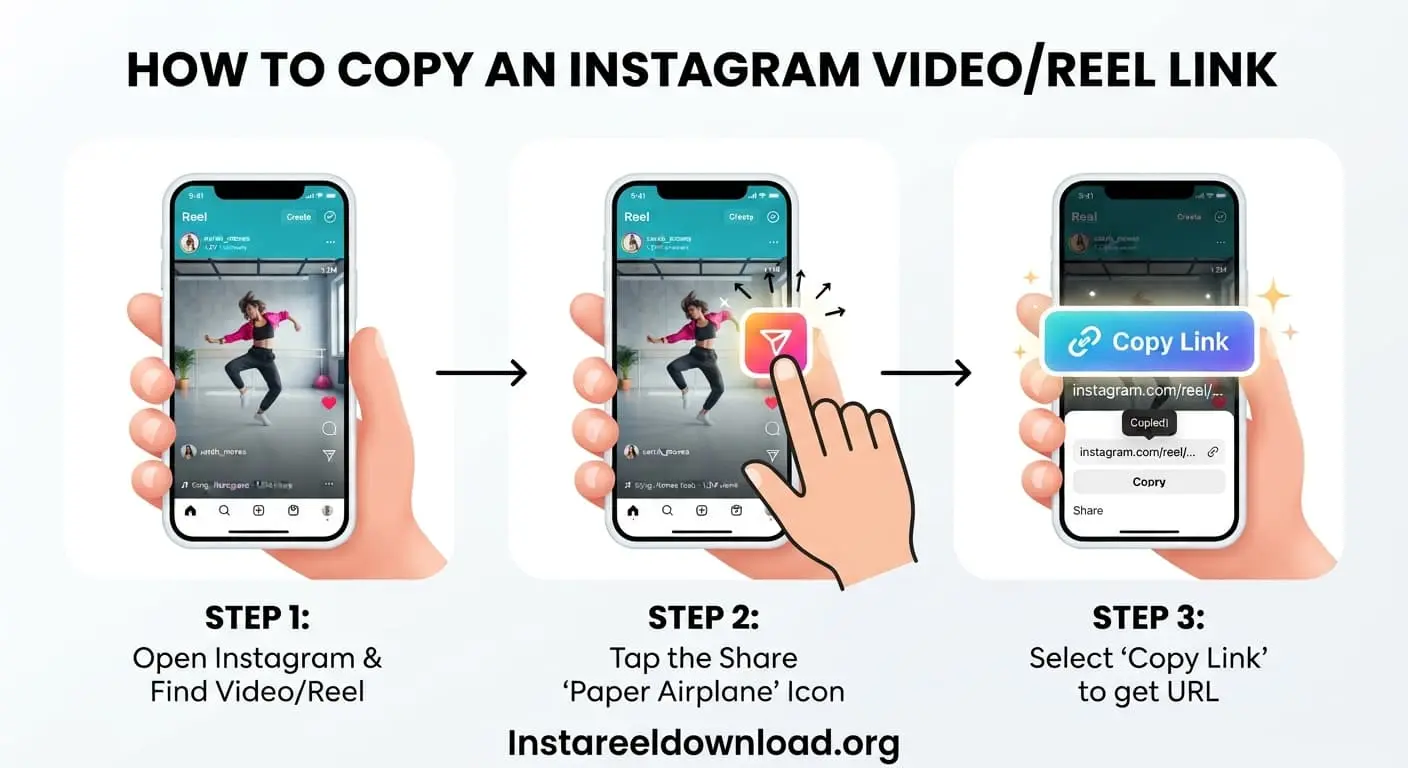
Copy the Video URL
First of all, open the instagram app or browser on your mobile. After that, find your video or reel that you want to download. After finding your video then click on share button and tap copy link and the video url will be copied. Make sure you select the correct video.
STEP 2
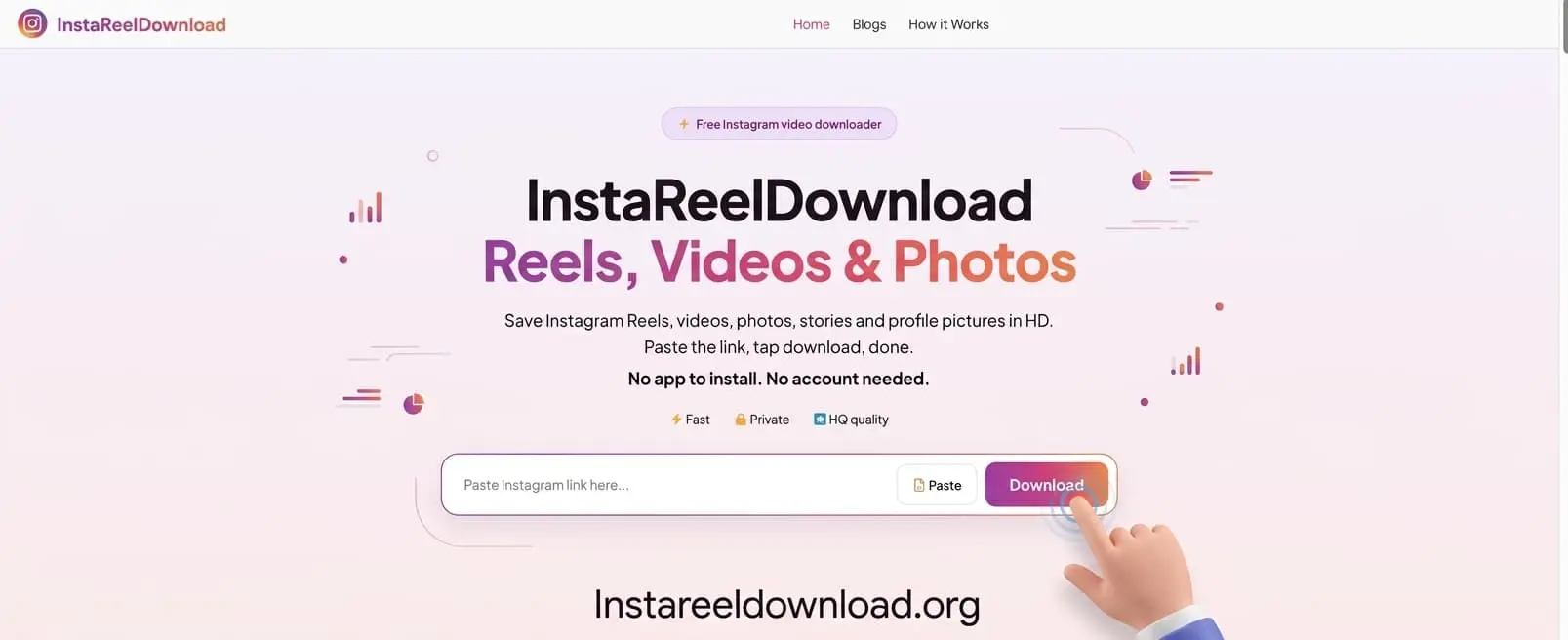
Visit Our Website
Now, open the browser and visit the InstReelDownload website. Simply paste the url into the downloader box, and click the “Download” button. If the link does not work, check it again and make sure the video is available.
STEP 3
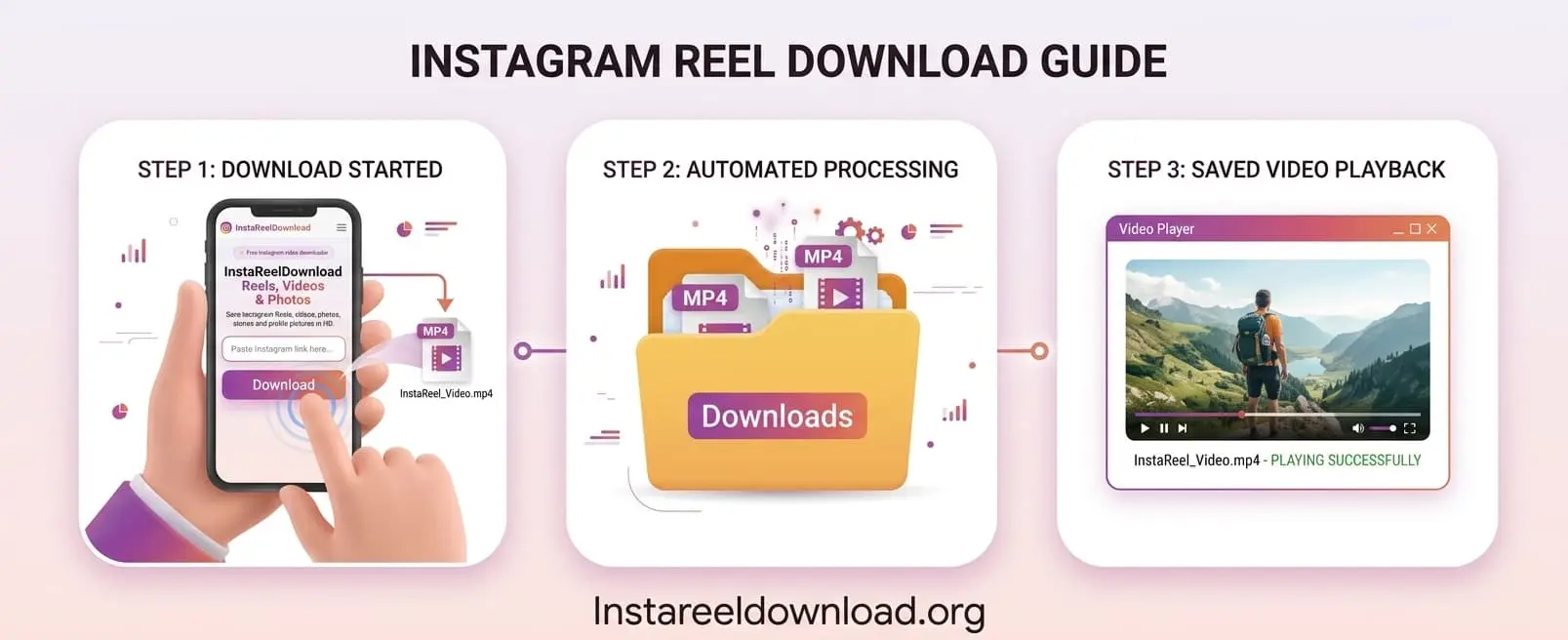
Download Your Video
After clicking the downloading button, the downloading process will start automatically. The file is directly download in your downloader folder. You can now watch your saved video without opening Instagram.
Works on All Devices
Android
If you have an Android phone then simply open the instagram app and copy the url of the video. Now open the website in your mobile browser, paste the link , and click on the download button.
iPhone
iPone user can also follow the same process. Just copy the link and paste into the website. Our tool extracts the media. After extracted, you can save your media in your downloader folder
PC & Mac
You can also use our website on PC or Macbook. Simply open the Instagram web in your browser and copy the URL of your favourite video. Then visit the InstaReelDownload and paste the link in the input box.
Why Use Our Instagram Downloader?
Easy to Use
Our tool has a simple layout that anyone can use. Simply copy the Instagram Video URL and paste it into the input box and click on the download box.
Fast Video Download
You can fastly download your video, the process is very simple but download speed may depend on your internet connection and video availability.
No App Installation
You do not need to download apps or extra software. Simply open our website in your browser and paste the URL.
Free to Use
Our downloader can be used free of charge. It is completely free, although you can use our tool without creating an account.
Watch Videos Offline
If the video is successfully downloaded on your device, then you can watch the video without an internet connection. This is useful when travelling or when your internet is unavailable.
Frequently Asked Questions
Got a question? Here are the things people ask us the most.
Is InstaReelDownload really free?
Yep, completely free. There are no hidden charges and no premium plan waiting around the corner. Just paste your link and download.
Do I need to create an account or install an app?
Nope, neither. Everything works right in your browser, so there is nothing to sign up for and nothing to install on your phone or computer.
Why is my link not working?
It happens to everyone sometimes. Most of the time the link was not copied fully, the video has been deleted, or it belongs to a private account. Go back to Instagram, tap Share, copy the link again, and make sure the video opens in your browser. Then try once more.
Can I download videos from a private account?
Sadly, no. We can only download public posts. If an account is private, our tool cannot reach its videos.
Where can I find my video after downloading?
It goes straight to your Downloads folder. On Android, look in your Files app or gallery. On an iPhone, open the Files app and check Downloads. On a PC or Mac, open the Downloads folder in your browser or file explorer.
Why is my download a bit slow?
The speed mostly depends on your internet connection and how big the video is. If it feels slow, try switching between Wi-Fi and mobile data, or just give it a minute and try again.
Can I download photos and Stories too?
Yes, you can use it for Reels, videos, photos, and Stories. The steps are exactly the same: copy the link, paste it in the box, and hit Download. Just remember the post needs to be public.
Can I repost the videos I download?
We would suggest keeping downloads for your own use, like watching offline. If you want to share someone else’s Reel, please ask the creator first and give them credit. It is their hard work, after all.